Evals Quickstart

Phoenix Evals Quickstart
This quickstart shows how Phoenix helps you evaluate data from your LLM application (e.g., inputs, outputs, retrieved documents).
You will:
- Export a dataframe from your Phoenix session that contains traces from an instrumented LLM application,
- Evaluate your trace data for:
- Relevance: Are the retrieved documents grounded in the response?
- Q&A correctness: Are your application's responses grounded in the retrieved context?
- Hallucinations: Is your application making up false information?
- Ingest the evaluations into Phoenix to see the results annotated on the corresponding spans and traces.
Let's get started!
First, install Phoenix with pip install arize-phoenix.
To get you up and running quickly, we'll download some pre-existing trace data collected from a LlamaIndex application (in practice, this data would be collected by instrumenting your LLM application with an OpenInference-compatible tracer). # TODO: Add link
Launch Phoenix. You can open use Phoenix within your notebook or in a separate browser window by opening the URL.
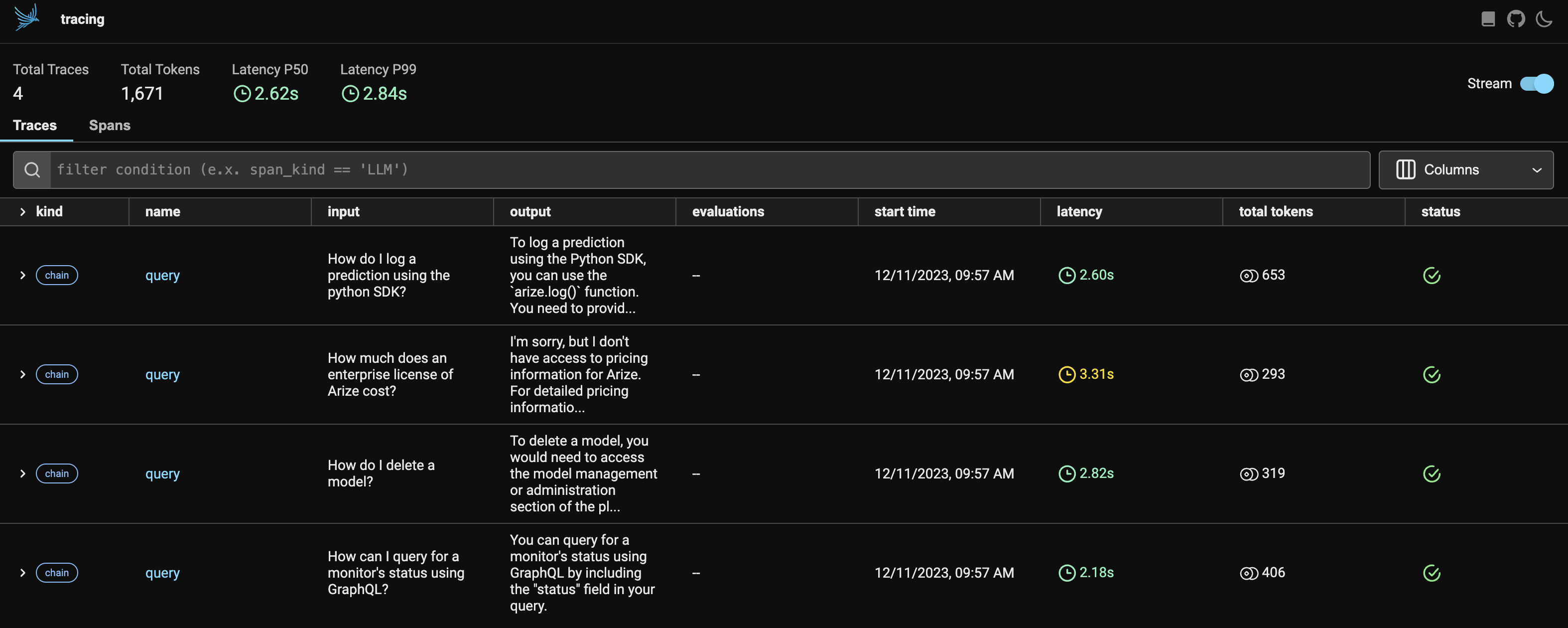
You should now see a view like this.
Export your retrieved documents and query data from your session into a pandas dataframe.
Note: If you are interested in a different subset of your data, you can export with a custom query. # TODO: Add link
Phoenix evaluates your application data by prompting an LLM to classify whether a retrieved document is relevant or irrelevant to the corresponding query, whether a response is grounded in a retrieved document, etc. You can even get explanations generated by the LLM to help you understand the results of your evaluations!
This quickstart uses OpenAI and requires an OpenAI API key, but we support a wide variety of APIs and models. # TODO: Add link
Install the OpenAI SDK with pip install openai and instantiate your model.
You'll next define your evaluators. Evaluators are built on top of language models and prompt the LLM to assess the quality of responses, the relevance of retrieved documents, etc., and provide a quality signal even in the absence of human-labeled data. Pick an evaluator type and instantiate it with the language model you want to use to perform evaluations using our battle-tested evaluation templates.

Run your evaluations.
Log your evaluations to your running Phoenix session.
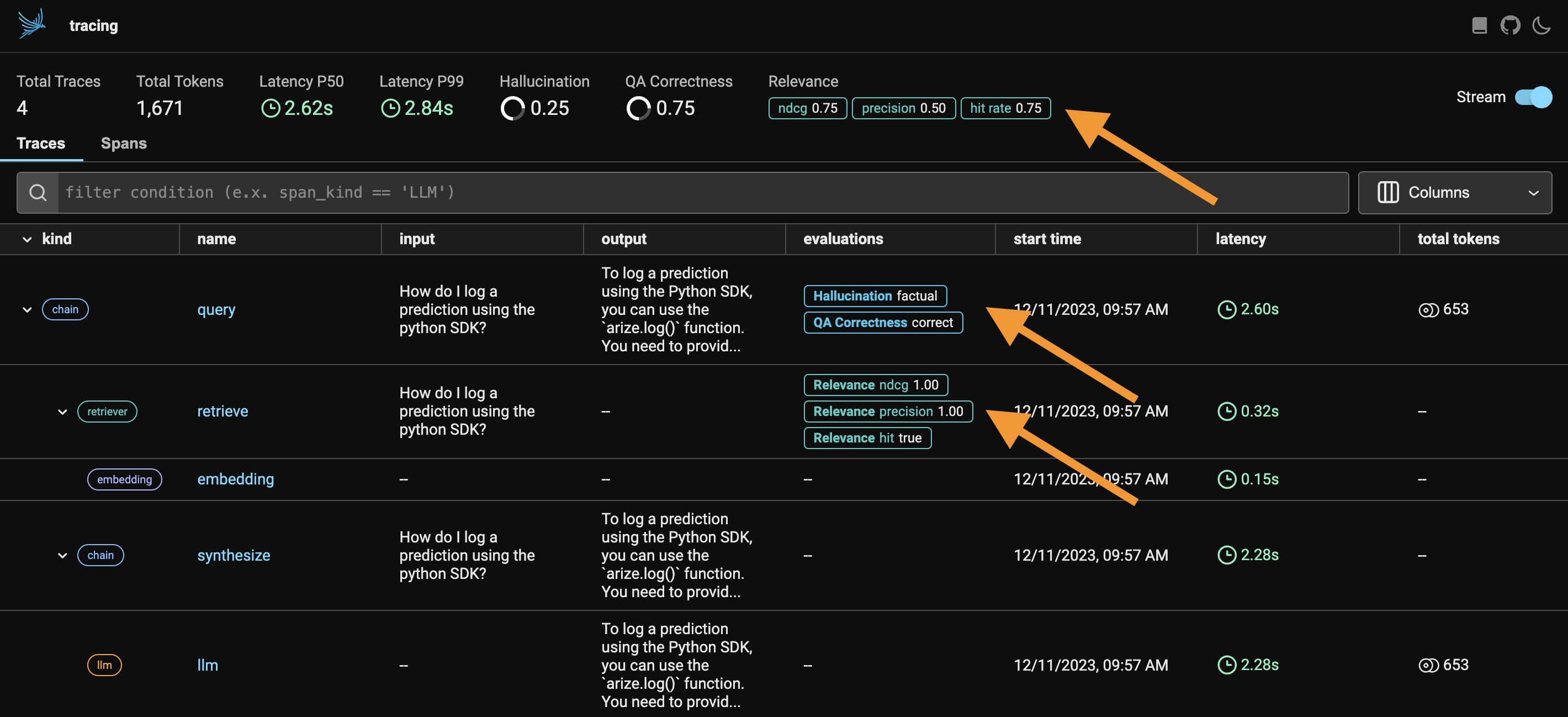
Your evaluations should now appear as annotations on your spans in Phoenix!
You can view aggregate evaluation statistics, surface problematic spans, understand the LLM's reason for each evaluation by reading the corresponding explanation, and pinpoint the cause (irrelevant retrievals, incorrect parameterization of your LLM, etc.) of your LLM application's poor responses.